
Windows keeps knocking your desktop icons out of place: after an update, a resolution change, a monitor swap. This tool remembers exactly where everything goes, and shows you what's about to move before it moves.
 A Windows bug that's outlived four major versions
Icons rearrange themselves in a handful of very ordinary situations, and putting them back by hand gets old the second time it happens.
More than a save buttonA few things here, like the live diff preview and cross-backup comparison, you won't find in comparable tools.
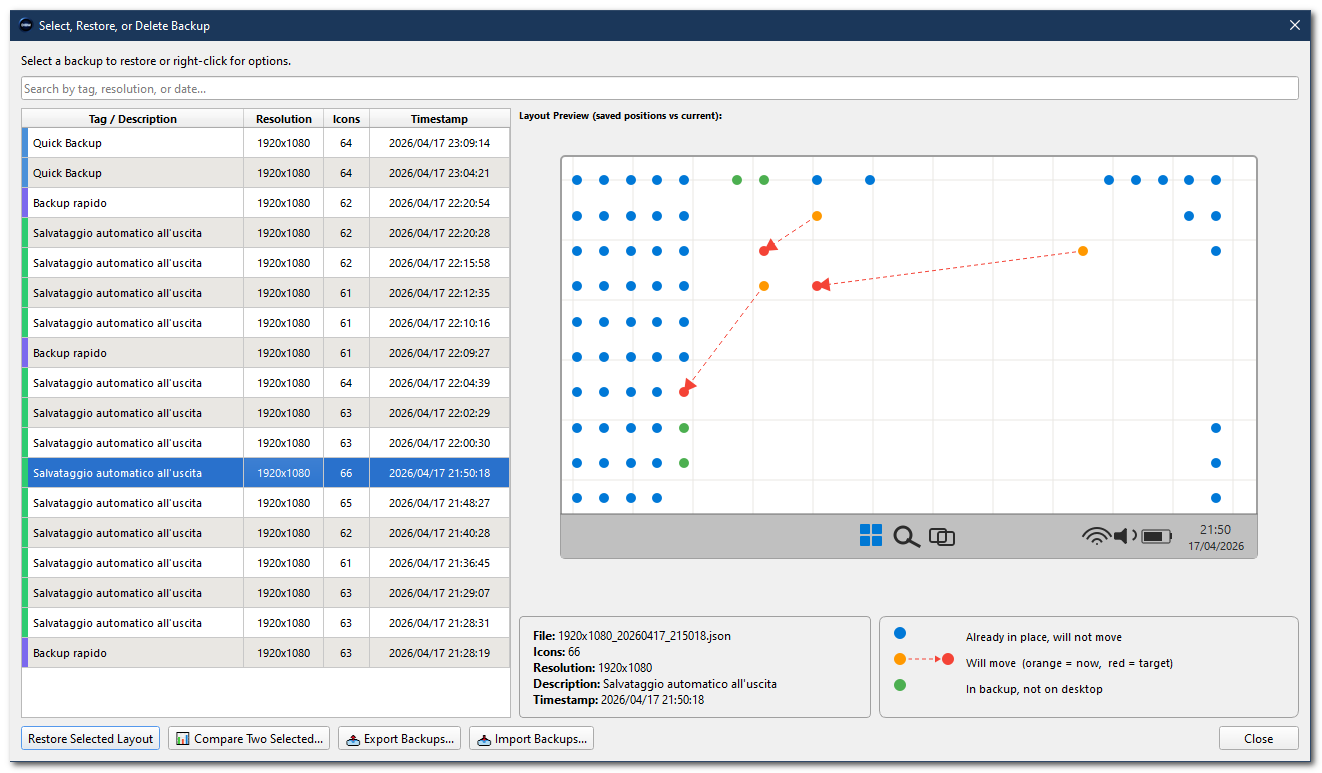
Before restoring, see exactly which icons will move, which stay put, and which exist only in the backup, with a taskbar mock-up carrying the backup's own timestamp.
Restoring onto a different resolution recalculates every position proportionally. Per-monitor DPI aware, so fractional scaling doesn't throw it off.
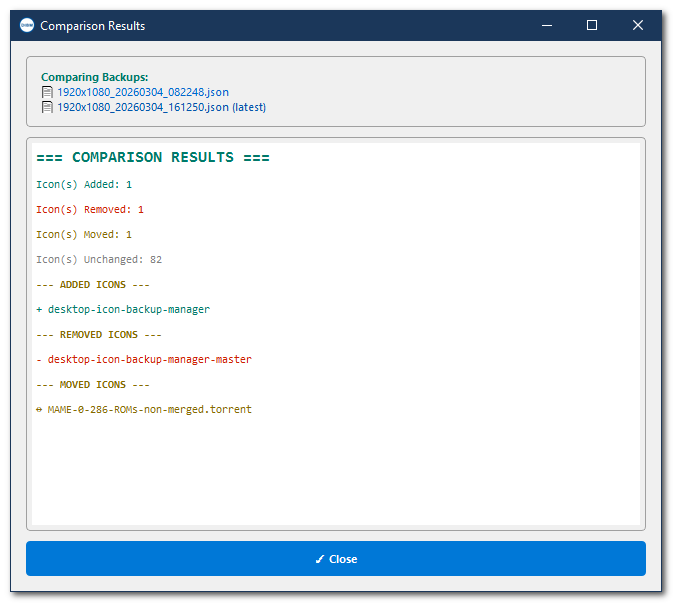
See what was added, removed, or moved between two saved snapshots, side by side.
Every backup records monitor count, resolution, and arrangement, with a warning if the setup differs at restore time.
Silent backup and restore via CLI, ready to plug into Task Scheduler for a backup on every login.
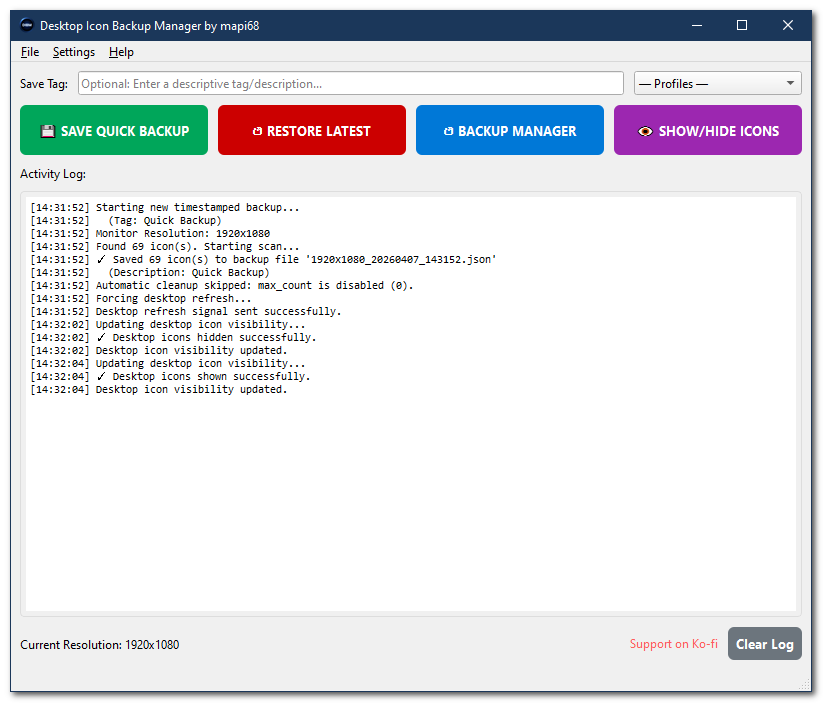
Hides desktop icons after a configurable delay, with an optional backup first and a warning before it fires.
An overview of backups, restores, disk usage, top resolutions, and the icons that move most often.
Package backups as ZIP or folder to move to another PC; importing skips duplicates automatically.
Creates an emergency restore point right before applying any changes, so you can instantly undo if needed.
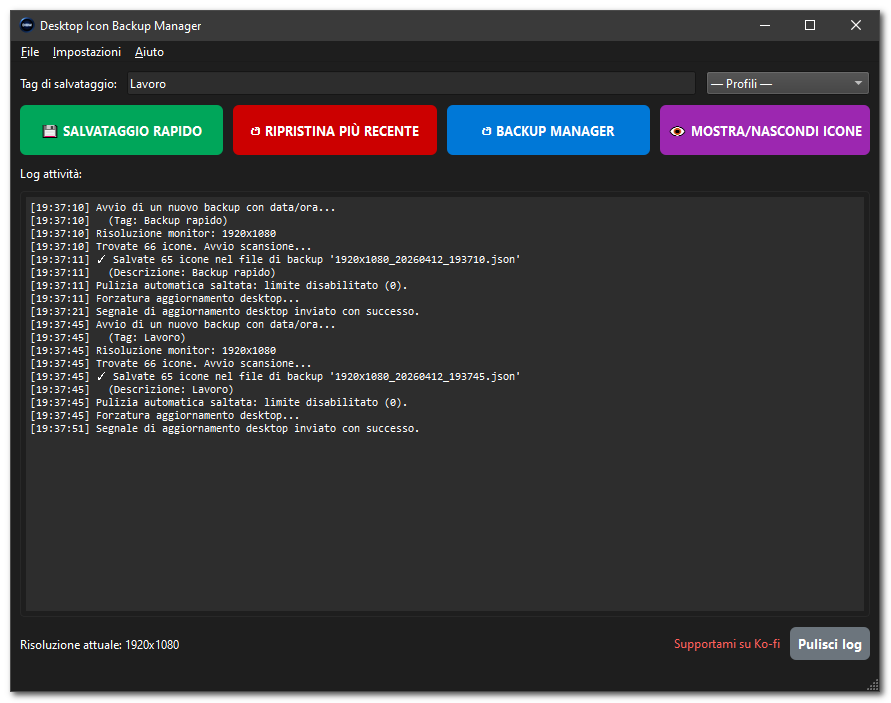
Auto-detected from the Windows locale, manually selectable too.
Arabic, Chinese (Simplified), Chinese (Traditional), Czech, Danish, Dutch, English, Finnish, French, German, Greek, Hindi, Italian, Japanese, Korean, Norwegian, Polish, Portuguese (Brazil), Portuguese (Portugal), Romanian, Russian, Slovenian, Spanish, Swedish, Turkish, Ukrainian.
How it stacks up| Feature | Desktop Icon Backup Manager | ReIcon | DesktopOK |
|---|---|---|---|
| Live visual diff preview | Yes | No | No |
| Compare any two backups | Yes | No | No |
| Adaptive scaling on resolution change | Yes | Yes | No |
| Multi-monitor support | Yes | Yes | Yes |
| CLI / Task Scheduler automation | Yes | Yes | No |
| Open source (GPLv3) | Yes | No | No |
| Statistics dashboard | Yes | No | No |
What it looks likeClick any image to open it at full, actual-pixel size.
 click to enlarge
 click to enlarge
 click to enlarge
 click to enlarge
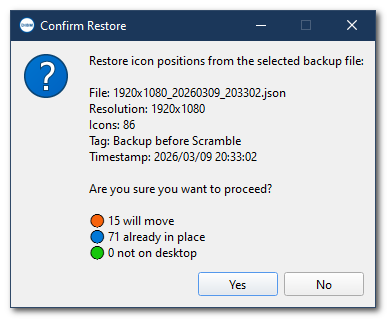 click to enlarge
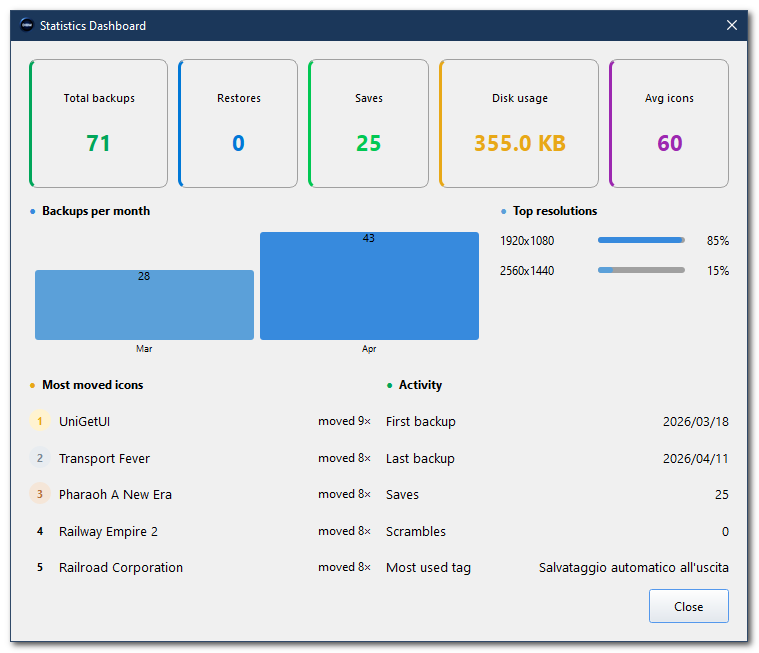 click to enlargeUp and running in under a minute
No installation, no external dependencies for the executable.
Grab the latest ZIP from the releases page: it contains the executable and the PDF manual.
For example C:\Tools\Desktop Icon Backup Manager\, no administrator rights needed.
The backups folder and settings file are created automatically on first launch.
Click "Save Quick Backup", or press Ctrl+S. Done.
Before you startIt's a long-standing Windows bug Microsoft has never fixed, present from Windows 7 through the latest Windows 11 builds. Windows silently changes screen resolution when you connect a monitor, launch a game, or wake from sleep, and that scrambles icon positions.
Yes, completely free, GPLv3 licensed. No ads, no telemetry, no required accounts.
Yes, every backup records the full monitor configuration. Restoring on a different setup triggers a warning, and adaptive scaling recalculates positions proportionally when enabled.
Yes, via the command line (--backup --silent), which plugs into Windows Task Scheduler for an automatic backup on every login.
Some antivirus tools flag programs that interact with Explorer's memory, even when using only standard Windows APIs. The full source code is public on GitHub for independent verification.